




Sale price$479.20 Regular price$870.00
Save 45%

Plug type: US

Buy It With

Dynamic Read Memory

Record up to 10 hours in mono

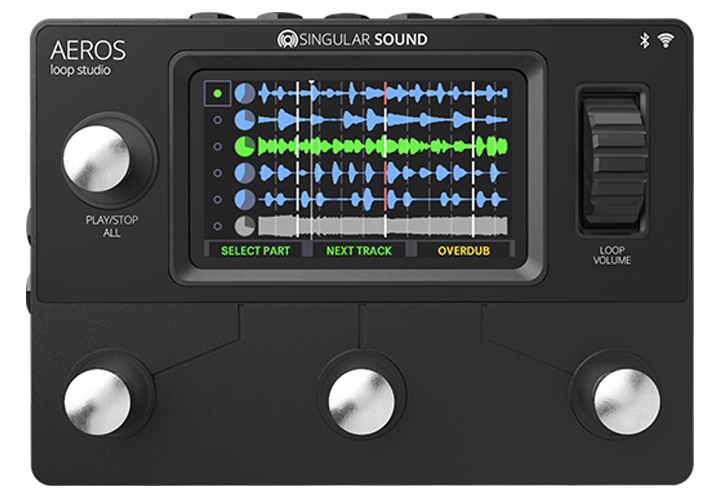
High-res Touch Screen Display

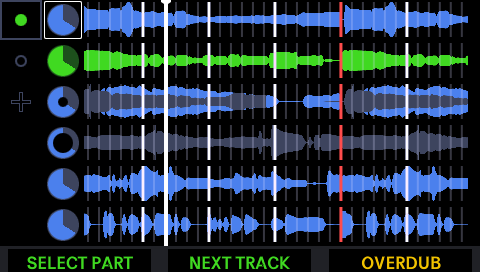
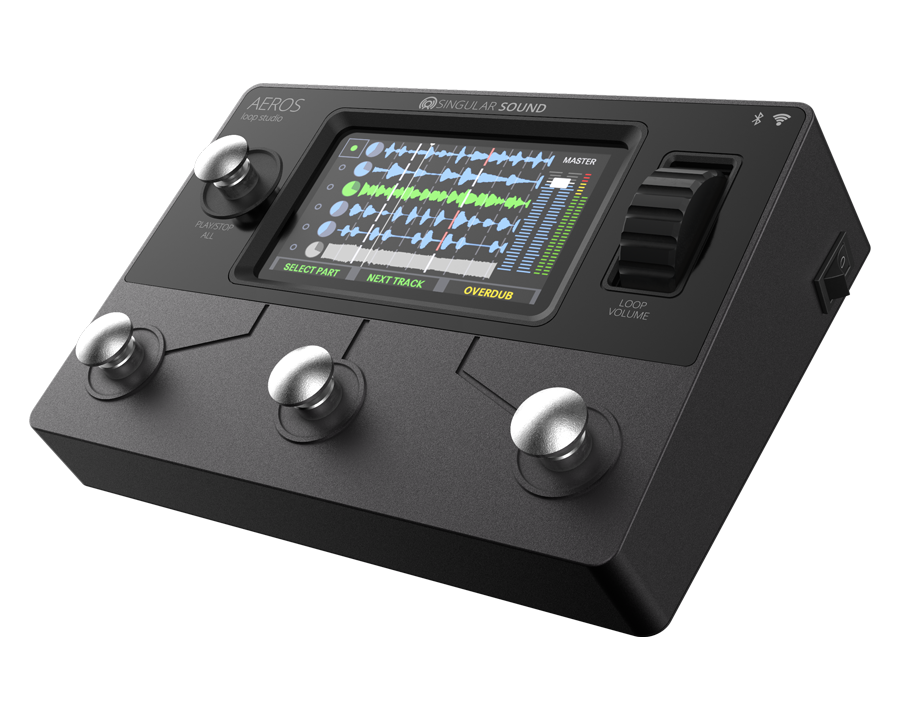
Access your features with ease

Industry-leading Loop Capacity

Up to 36 in a single song

Get to know the Aeros Loop Studio

Unlock Limitless Creativity with Aeros Loop Studio: The Ultimate Looper Pedal

Transcend musical boundaries with the Aeros Loop Studio. Create, perform and record both parallel and sequential loops. Dual modes and quantization options adapt to your playing style. Intuitive hands-free navigation offers a superior playing experience. 

The Aeros Loop Studio is packed with powerful, innovative features. Use the built-in Mixer Mode to adjust track volumes on the fly. Import your own backing tracks to fuel your performance. Loop without stress thanks to error-friendly features like auto quantize, Intelligent End-of-Measure Forgiveness, and easy undo/redo commands. The Aeros Loop Studio can serve as a MIDI transmitter (Master) or receiver (slave) sending and receiving a plethora of MIDI commands like time signature,
transitions, start/stop and more.

Utilize built-in effects like auto-fade in/out, reverse track and loop decay.
Record up to 20 minutes of mono audio per track (10 hours per song). The Aeros Loop Studio elevates recording and songwriting with studio-grade
24-bit audio and 32-bit floating point processing. Operate line and instrument levels, send your inputs anywhere, and select between stereo and mono audio.

Type

Looper Pedal with Digital Mixer

Looper

6 x Song Parts, 6 x Stereo Tracks, Unlimited Song Memories

Looping Time

20 Minutes Mono (1-track), 48hrs Mono (Max Memory w/ 32GB Card)

Effects

Reverse, Fade In/Out, Loop Decay

Channels

4 (L/R Main + Aux L/R)

Faders

7 x Digital

Signal Processing

32-bit Floating Point

Sample Rate

44.1kHz

Bit Depth

24-bit

Parallel and Sequential Looping Capabilities

Write complete songs with multiple tracks
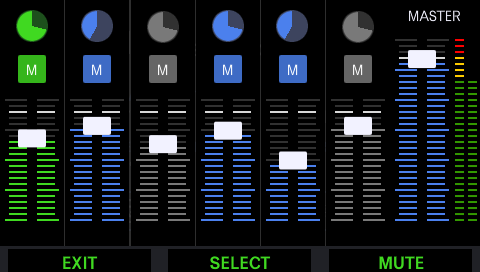
On-board Live Mixing View

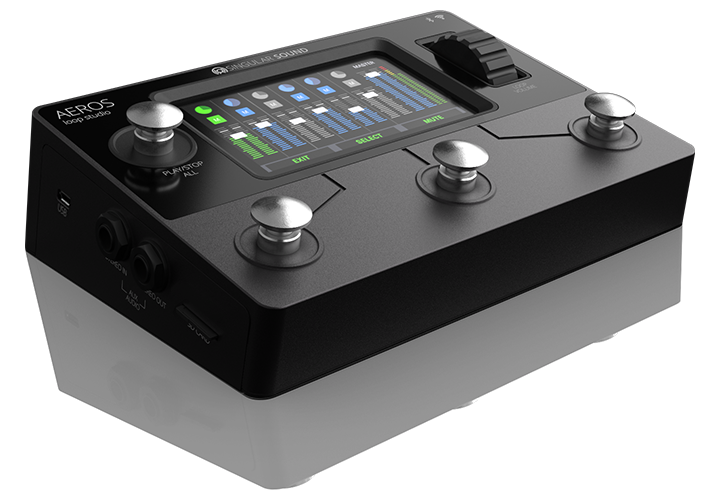
Adjust track volumes on-demand
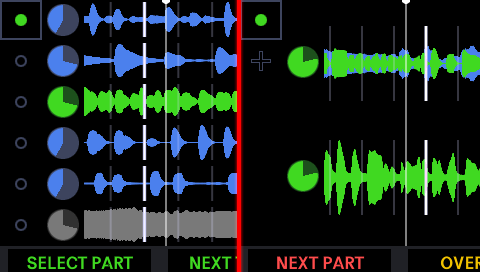
Flexible Dual Playing Modes

2x2 and 6x6, for boundless creativity
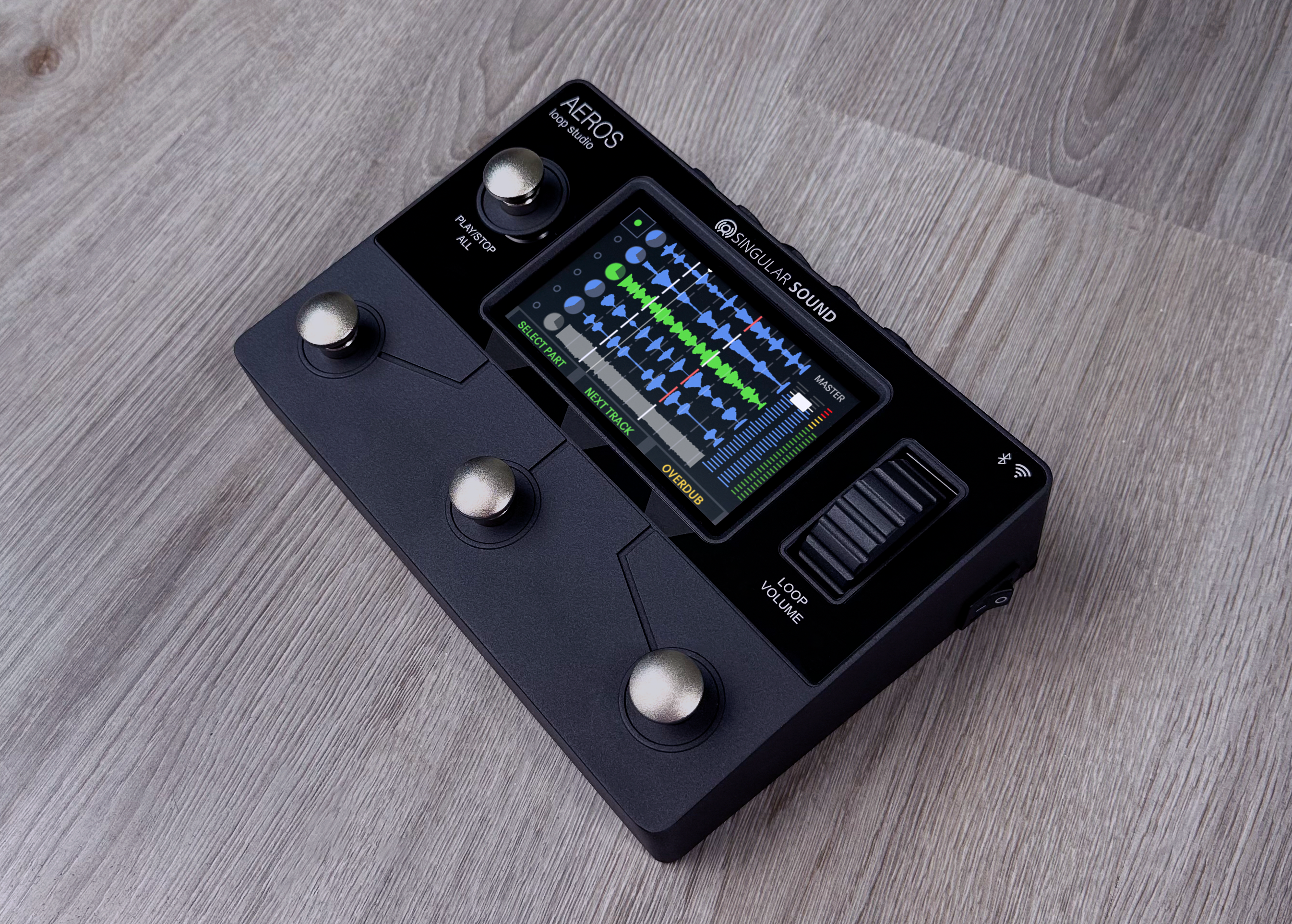
Industry-Leading Memory System and Connection

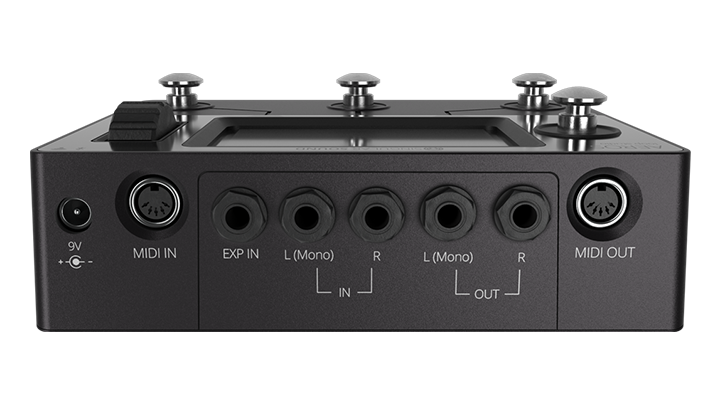
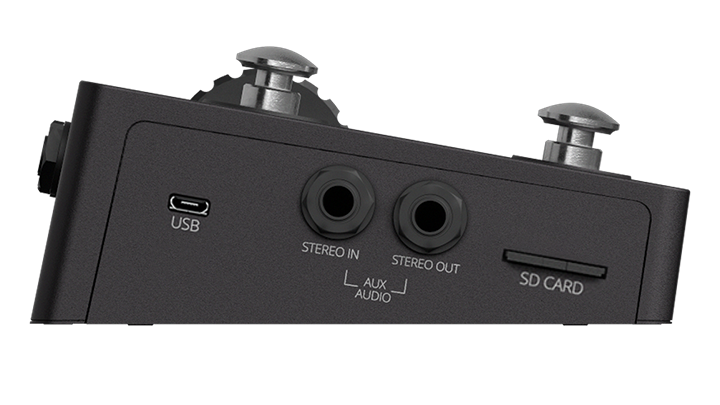
If you have a BeatBuddy or MIDI Maestro, Aeros will sync with them automatically via MIDI. Once connected, auto quantize your loops to the measure of the beat, utilize powerful Aeros functionality with a single button press and more. The built-in Quick Start Guide will get you up and running fast, and detailed changelogs keep record of every new command.

Take songwriting and performance to the next level. Spark your creativity and do more of what you love. Aeros users get access to feature-packed Firmware Updates, bringing diverse new abilities to your looper pedal. You can download them over Wi-Fi with one press.
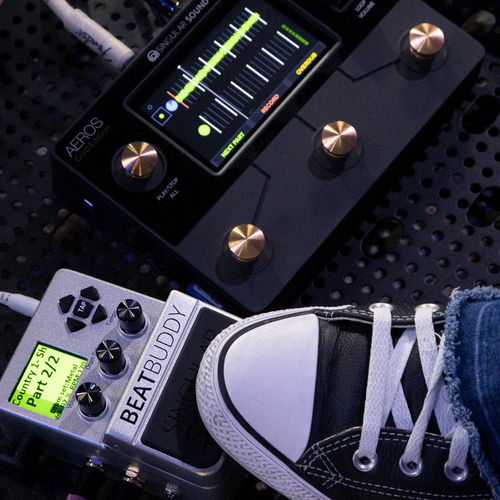
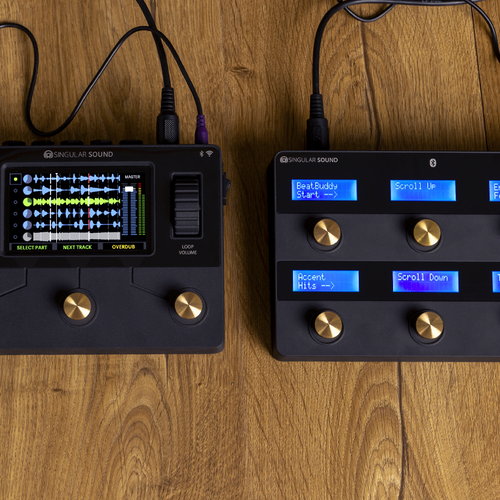
Seamlessly Integrate with your BeatBuddy

The Aeros and BeatBuddy feature a plug and play integration, easily syncing song start, transitions and song stop via MIDI.

Shop BeatBuddy

Seamlessly Integrate with your MIDI Maestro

Using the MIDI Maestro’s built in Aeros mode, you can gain access to a plethora of powerful MIDI commands like reverse, fade to mute, part selection and more all with a single press of a button.

Shop MIDI Maestro
  • 5 stars: 29 (81%)
  • 4 stars: 1 (3%)
  • 3 stars: 2 (6%)
  • 2 stars: 2 (6%)
  • 1 star: 2 (6%)
K
Keith Ellison
Aeros Lacking Integration with BB2

I own MM, BB2, and Aeros Loop Studio. For users thinking of purchasing the BB2 and Aeros Looper please be advised as follows: currently the BB2 in AP mode does not play well with the Aeros in 6x6 mode. This is bc the BB2 is not able to send CC113 values between 1-6 to the Aeros at the end of any AP song part, followed by CC102, so that the Aeros transitions to the desired 6x6 part. As far as integration between BB (in autopilot mode) and Aeros is concerned, this is the one key feature that I think is missing.

G
George Strosin
Streaming-Friendly Looper

For live streaming, I need a tool that’s stable, quick, and visually clear. The 6x6 arrangement grid ensures I’m ready for the next section without dead air. Touch faders let me tweak levels while engaging with the audience. Viewers notice the smooth transitions.

R
Rodger Grimes
Get if if you have a beatbuddy

As a drummer using BeatBuddy, I’ve tested other loopers, but the Aeros works best. It follows BeatBuddy’s changes, starts, and stops exactly, keeping the whole band in time even with complex arrangements.

S
Sheldon Donnelly
More Fluid Than the Looperboard

We tried a Headrush Looperboard for church, but transitions still felt rough. The Aeros lets us map song sections, stay synced with MIDI, and keep volunteers on track with the color display. Everything runs more smoothly now.

J
Justin Bonney
Idea Capture Without Delay

I lose interest when a looper slows me down, but the Aeros’ visuals make it fast to use. It’s like having a small recording workstation on my board.

O
Osborne Anderson
top Pick for Worship Leaders

When leading church music, I need both reliability and creative flexibility. The Aeros does MIDI start/stop, tempo sync, and runs parallel and sequential loops together. Transitions are natural and the options go far beyond other loopers.

F
Fredy Towne
Bassists Finally Get Clarity

Most loopers muddy the low end, but the true stereo path on the Aeros keeps bass tones punchy even with layers of chords and percussion. Per-track solo lets me create breakdowns that actually sound good live.

T
Tyrique Heidenreich
MIDI made easy

When synced via MIDI to my synth setup, the Aeros holds timing perfectly for an entire show. Switching between quantized and free-time loops is straightforward. That combination of accuracy and ease is hard to find.

I
Ilya Tsipis
Perfect Partner for BeatBuddy

As a band leader with a BeatBuddy, I need tight sync. The Aeros changes parts, pauses, and selects songs in lockstep with it. If you own a BeatBuddy, this is the looper to get.

I
Ilya Tsipis
Perfect Partner for BeatBuddy

As a band leader with a BeatBuddy, I need tight sync. The Aeros changes parts, pauses, and selects songs in lockstep with it. If you own a BeatBuddy, this is the looper to get.

H
Harry Schiller
Looping without limits

My Pigtronix Infinity 3 could handle two stereo loops, which was fine for simple builds. The Aeros offers six tracks per part, six parts per song, and tight MIDI sync. Whether quantized or in free time, the visual layout makes my transitions precise.

P
Prince Graham
My Go-To Looper

This pedal lets me arrange songs as I would in a DAW, but right on the floor. The 6x6 view turns arrangements into a clear visual map. On stage, instant feedback and undo have become essential.

B
Bry D
Like this but it needs a few things

This is a great looper but…
It needs a firmware update that allows a few things

Pausing at a moment in the track
Scrubbing through the track
Editing the track with a cut copy and paste and or delete feature

If it can be done on the sp404mk2 it can be done on this

This could be done by using the wheel to move the edit line along the track and one of the foot switches can be tapped to pause, edit and remove or paste

At the bare minimum the track needs scrubbing so you don’t have to start the track all the way over etc

R
Robert Spalding
A Lot of Function - No much relative info/instruction

First I had to wait until I received my BB midi cable and second I spent the time trying to understand topics from the Aeros manual which is without context. From a person who has 40 some years of multitrack recording the interface for creating and "EDITING" tracks is non-existent and unintuitive I'm sorry to say. Still looking for third party (unsponsored) YouTube tutorials to help guide me through the recording and editing of tracks, both in 2 and 6 trk modes. Maybe the developers came at this from a non-musician and non-multritrack experience....

V
Valdon Wright

Aeros Loop Studio

H
Harold Grimes
Made me a one man band

This device works as described! It’s awesome!

M
Martin Henry
Eros/beat buddy integration

I’m having trouble getting the arrows to start Recording properly. I’m not getting the pre-count time allowed before the recording starts. I press start on the beat buddy, and the aeros immediately starts recording before I have a chance to think about it

u
ufo walter
Finally

I´ve been demonstrating the Lexicon JamMan Looper in the 90s, all over the world. Hardly anybody knew what a looper was and people were stunned by the demos i did with just a bass guitar. Since then i struggled to find any other looper i could use. Specially when it came to midi and tightness. The Aeros is the ultimate solution for me. The features are so well thought about and the hardware is absolutly unique. Together with the Midi Maestro it´s like a complete studio at your feet. Love it. 10 out of 5 points.

S
S.
Best on the market

My dream pedal. Best thing i own!

C
Customer
Amazing!

Amazing pedal, i use it for recording

P
Paul

Great

S
Scott Williams
Does great stuff but has been unreliable for me

I'm a little frustrated because I had to buy a second unit and because one bolt came loose in my original unit which had already had to be replaced it was no longer under warranty.

I'm happy to try and do this ridiculously simple repair myself, but it is a little bit tricky getting the boards out of the way to get to the bolt. I was told that a repair manual had been requested for me, but that was well over a month ago. I emailed to follow up a couple days ago but I haven't heard anything yet.

This is an amazing tool, but as somebody who is trying to gig with it a few times a week, these kinds of issues are concerning.

T
T.P.

Love this pedal!

J
Jerry Guttman
Aeros Looper

Works really well especially with the latest firmware. Be sure to turn off active logging since it creates pops and clicks in your recordings. It is very easy to undo mistakes. I really like the 6 x 6 mode. It is satisfactory for creating parts for most popular songs.

S
Stephen Chamot
Loop pedal for pure loopists

Fantastic loop pedal that fulfills everything I want a looper to be. The controls are intuitive and easy to use in complex arrangements and can be fully foot operated which is great. There are no effects(which I didn't want anyways) and it more than makes up for it with the sheer number of loops, parts, mixing and ease of use.

R
Ross R
metronome

embarrassing, I'm the only one could have a looper that just takes tracks of a metronome

Hi Ross,

The Aeros can loop in a huge variety of ways, including quantized (to the beat), auto quantizd (you create a loop and it'll then put a tempo to that), and freeform (to no beat or tempo at all). Please reach out to our team at support@singularsound.com and we can walk you through all the Aeros features.

K
Kenneth

Fantastic!

D
David Hewitt
Aeros Looper

I have the beat buddy mini 2 and didn't realize they aren't compatible.

D
Dan Farmer
Wow.

I have the Aeros and the BeatBuddy. It really is a perfect pair. I've written several new songs and am using modes the right way. Tech support from Singular Sound was amazing. You guys rock. Can't say enough his good things about it.

E
Earl Varney
Best looper I’ve had

I tried several different looper’s before getting the Aeros. I already have the Beat Buddy and I love how they’re integrated together. As an older guitar player this works well with my old coordination.

R
Rick Jackson
Not sold

My impression so far is that it is too complicated and not very intuitive. I have a dimple need to start with. I just want to record 2 bars an then have them repeat over and over. The instructions and videos don’t seem to explain how to do something that simple. Give us some simple intuitive instructions!